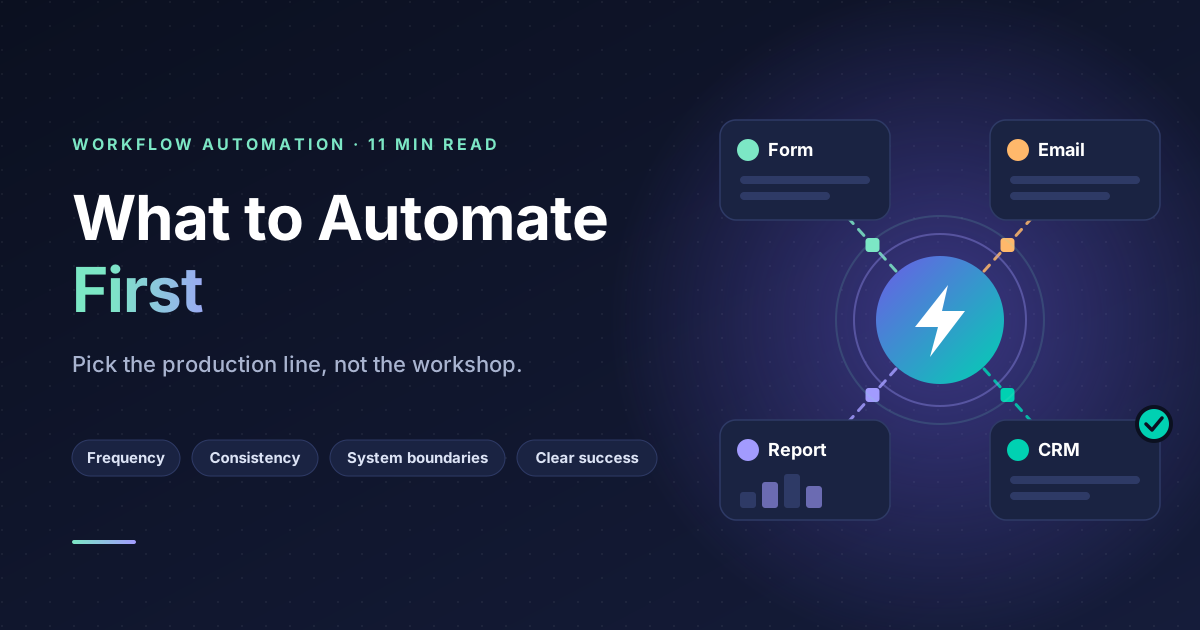
The right first automation is a process that runs often, follows the same steps every time, moves data between systems you already use, and currently gets done by a person copying and pasting. Lead intake, order confirmation, onboarding checklists, invoice chasing and report assembly are the usual candidates.
The wrong first automation is the one that annoys you most. Those two are rarely the same thing, and picking the second is the most common reason automation projects stall.
This guide covers how to identify what to automate, how to sequence it, and the engineering practices that separate an automation you can rely on from one that quietly stops working.
Why most automation projects stall
The pattern is consistent enough to be predictable.
Someone identifies a frustrating manual task. They build an automation for it. It works for three weeks. Then an edge case appears that nobody anticipated, the automation does something wrong, and trust collapses. Six months later the process is manual again and the automation is still running in the background doing nothing useful.
The failure was not technical. It was that the first automation was chosen by emotion rather than by frequency and consistency. Frustrating tasks are frustrating precisely because they are irregular and require judgement, which are the exact properties that make them poor automation candidates.
An analogy. It is the difference between a production line and a workshop. Production lines automate well because every unit is identical. Workshops do not, because every job is different. Most businesses have both, and they try to automate the workshop first because that is where the pain is.
How to find the right candidates
Four criteria, applied in order. A process needs all four.
Frequency. Does it happen at least daily, or weekly at high volume? An automation that saves ten minutes a month is not worth building or maintaining. The maintenance burden is real and it is constant.
Consistency. Does it follow the same steps almost every time? Not always, but almost. If more than roughly one in five instances requires a judgement call, you are automating a workshop.
System boundaries. Does it involve moving information between two or more systems? This is where the largest gains are, because a person moving data between systems is doing pure transcription with no value added and a meaningful error rate.
Clear success criteria. Can you state precisely what a correct outcome looks like? If you cannot define success, you cannot test the automation, and an untested automation is a liability.
The exercise that finds them
Ask everyone on the team to log, for one week, every time they copied information from one screen and typed it into another. Not a description of their job. The specific instances.
That list, sorted by frequency, is your automation backlog. It is almost always more accurate than any process map, because process maps describe how work is supposed to happen and this describes how it actually happens.
The five processes worth automating first
These come up in almost every business we work with.
Lead and enquiry intake
A form, an email or a call produces information that someone rekeys into a CRM, often hours later. Automating this means the record exists immediately, is complete, is consistently formatted, and can trigger the next step without waiting for a human.
The compounding benefit is speed of response. Enquiry conversion rates fall sharply with response delay, and manual intake is usually where the delay lives.
Onboarding sequences
New customer, new employee, new supplier. Each one triggers a predictable sequence of account creation, document sending, access granting and calendar invitations. This is a checklist that a human works through, which means it is a checklist a system can work through.
The value here is less about time saved and more about steps not skipped.
Document and report assembly
Pulling numbers from several systems into a weekly or monthly report. Highly repetitive, entirely rule based, and typically consuming several hours of someone senior enough that their time is expensive.
Status updates and notifications
Order shipped, ticket assigned, invoice overdue, appointment tomorrow. Every one of these is a rule that fires on a state change. Doing them manually means they happen inconsistently, which customers notice.
Data reconciliation
Comparing records between two systems and flagging differences. Tedious, error prone when done by hand, and trivially automatable. Also one of the few automations that gets more valuable as your data gets messier.
What not to automate
Being explicit about this saves more time than the recommendations above.
Processes with high judgement content. Pricing exceptions, complaint resolution, hiring decisions. Automating the data gathering around these is useful. Automating the decision is not.
Processes that are about to change. If you are switching CRM next quarter, do not automate against the current one.
Broken processes. Automating a bad process gives you a bad process running faster and at greater scale. Fix the process first. This is the most frequently ignored piece of automation advice and the most important.
Processes done once a month by one person who does not mind. The maintenance cost exceeds the benefit.
Anything where an error is expensive and undetectable. If a mistake in the automation would go unnoticed for weeks and cost real money, either do not automate it or build a verification step that a person reviews.
Sequencing
Once you have candidates, order them by a simple ratio: frequency multiplied by time saved, divided by build complexity.
Then override that ranking in one way. Build the simplest genuinely useful automation first, even if it is not the highest scoring, because the first one is where your team learns whether they trust this.
Why this matters. Organisational trust in automation is a resource that depletes. One visible failure sets the programme back months. One visible success creates demand from other teams. Spend the first build on winning trust, not on maximising return.
The engineering practices that matter
Most automations that fail in production fail for the same handful of reasons. All are preventable.
Idempotency
An automation must be safe to run twice. If a webhook fires twice, or a retry happens after a timeout, the automation must not create two records, send two emails or charge twice.
The usual mechanism is a unique key for each operation, checked before acting. This is basic engineering practice and it is skipped constantly in automation tools because the happy path works without it.
Explicit error handling
Every step that can fail needs a defined behaviour when it does. Retry with a delay, skip and log, or stop and alert a human. The default in most tools is to fail silently, which means the automation stops working and nobody knows until someone notices the outputs missing.
Retries with backoff
APIs go down briefly. An automation that fails permanently on a transient error creates manual work. An automation that retries immediately in a tight loop makes the outage worse. Retry with increasing delays, and cap the attempts.
Audit trails
Every run should record what it did, what data it acted on, and what the outcome was. When someone asks why a customer received the wrong email six weeks ago, this is the only thing that will answer them.
Alerting to a person, not a log file
Failures must reach a human being who is responsible for them. A log nobody reads is not monitoring. A message in the channel the team already uses is.
A named owner
Every automation needs someone whose job it is to care when it breaks. Automations without owners degrade silently as the systems around them change.
Choosing a tool
The tool matters less than people expect. n8n, Zapier and Make will all handle the majority of business processes, and the difference between a good and bad automation on any of them is larger than the difference between the tools.
The broad distinction is that visual builders are faster to start and harder to maintain at scale, while code based approaches are the reverse. n8n sits in between, offering a visual interface with the ability to drop into code where needed, which is why it is our usual default.
Choose on three questions. Can it reach the systems you need? Can you self host if your data requires it? Can someone other than the person who built it understand and modify it in a year? The third question is the one people forget and the one that determines whether the automation survives.
Measuring whether it worked
Decide before you build what success looks like, and measure it.
Time saved is the obvious metric and the least reliable one, because it depends on self reporting. More useful measures are error rate, meaning how often the outcome is wrong, cycle time from trigger to completion, and volume handled without human intervention.
Track failure rate as well. An automation that succeeds ninety percent of the time and requires manual intervention on the other ten percent may be creating more work than it saves, because interrupted attention is more expensive than continuous work.
Where to start
Run the copy and paste logging exercise for one week. Sort the results by frequency. Pick the simplest item in the top five and build that one.
Resist the temptation to build the ambitious one first. The ambitious one is worth more and is far more likely to fail, and the failure will cost you the chance to build anything else.
If you want help identifying the right candidates in your own operation or building the first few properly, get in touch and we will map it with you.
Frequently asked questions
How long does a typical automation take to build? A single well scoped process connecting two systems is usually days rather than weeks. Complexity comes from the number of edge cases and the quality of the APIs involved, not from the automation logic itself.
Do I need a developer? For simple two system automations, no. Once you need error handling, retries, custom logic or self hosting, having engineering involvement changes the reliability substantially.
What happens when one of my tools changes its API? The automation breaks. This is why alerting and a named owner matter. Budget for occasional maintenance rather than treating automation as a one time build.
Should I automate a process I am about to redesign? No. Redesign first. Automating a process locks in its current shape and makes changing it harder.
How do I get the team to trust it? Run it alongside the manual process for a short period and compare outputs. This costs a little time and buys a great deal of confidence.