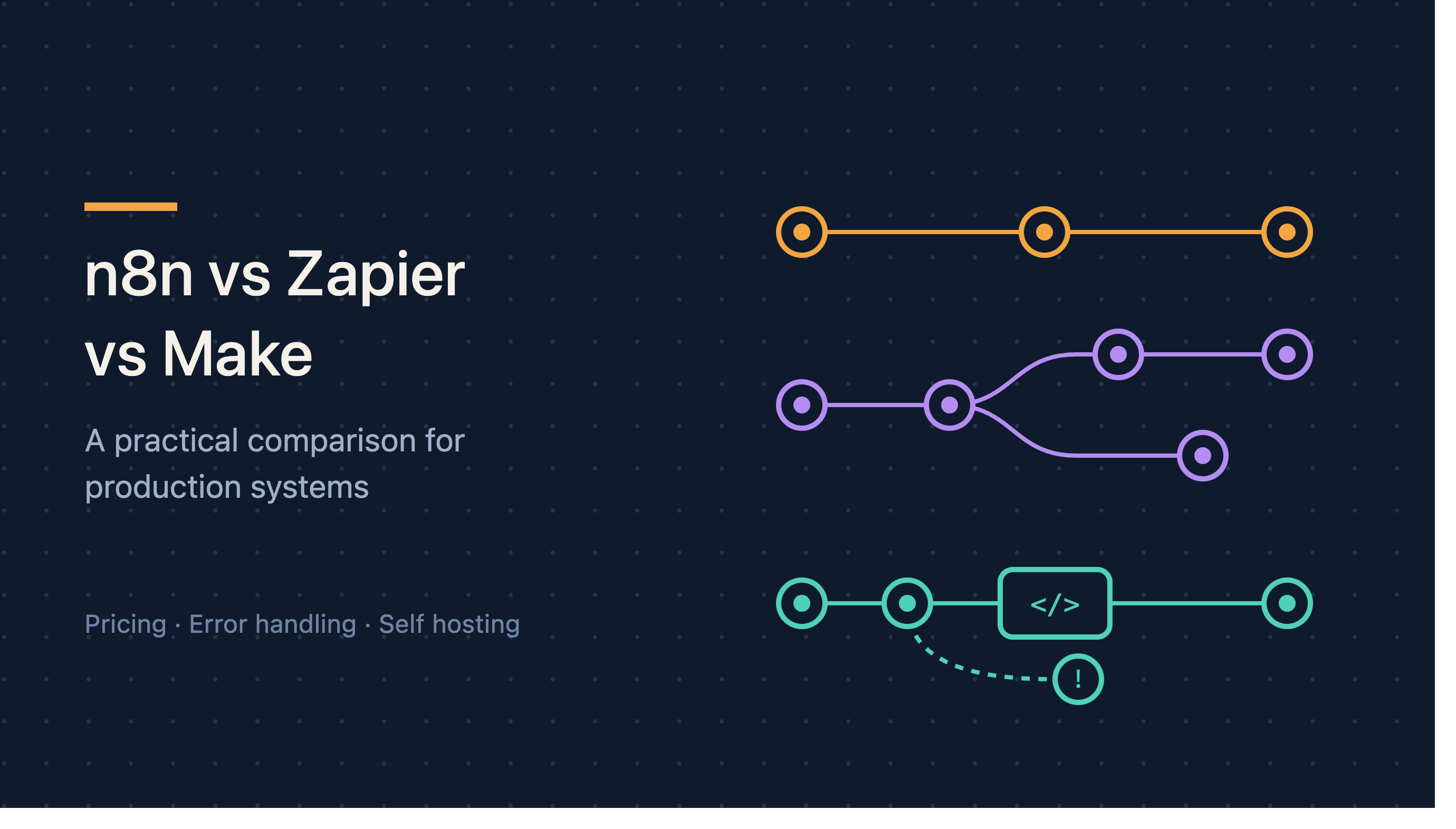
Zapier is the easiest to start with and the most expensive to run at volume. Make offers more logical complexity for less money and a steeper visual learning curve. n8n is the only one of the three you can self host, which makes it the default choice when data residency matters or when volume makes per operation pricing painful.
For a small team automating a handful of processes, any of the three will work and the decision barely matters. For a business running automation as production infrastructure, the differences become significant quickly, and they show up in the same three places every time: pricing model, error handling, and what happens when you need logic the visual builder does not support.
We build on n8n most often. That is a preference formed by the kind of work we do, and it is not the right answer for everyone. This article explains the reasoning so you can reach your own.
The pricing model matters more than the price
This is the single largest practical difference and it is not visible on a feature comparison.
Zapier charges per task, where a task is roughly one action. A workflow with six steps that runs a thousand times a month consumes around six thousand tasks. Costs scale directly with volume, which means a successful automation gets more expensive precisely as it becomes more valuable.
Make charges per operation, with a similar structure but generally a lower unit cost and more operations included at each tier. The scaling problem is the same in shape but arrives later.
n8n offers both a cloud plan priced per workflow execution rather than per step, and a self hosted option where your only cost is the server. A workflow with six steps costs the same as one with sixty. At high volume this difference stops being a line item and becomes the deciding factor.
The practical consequence. Per task pricing quietly discourages good engineering. When each step costs money, teams build fewer steps, which means less validation, fewer checks and less error handling. We have reviewed Zapier workflows where obvious safety checks were omitted specifically to keep the task count down. That is a pricing model shaping architecture, and not in a good direction.
An analogy. It is the difference between metered and unmetered water. Both work. But if you are charged per litre, you will think twice before washing something properly, and eventually that shows.
Self hosting and data residency
Only n8n can be run on your own infrastructure.
For a lot of businesses this is irrelevant. For some it is the entire decision.
If your automations touch patient records, financial data, or anything covered by a data residency requirement, sending that data through a third party cloud platform is either a compliance problem or a lengthy procurement conversation. Self hosting removes the question.
Self hosting is not free. You are now responsible for uptime, updates, backups and scaling. For a team without operational capacity, a managed cloud plan is often the better trade even at higher cost.
The useful framing: self hosting is a requirement or it is a burden. It is rarely a mild preference.
Error handling and reliability
This is where the difference between a demo and a production system lives, and it is the area most evaluations skip.
What to test on each platform. Build a workflow that calls an endpoint you control, then make that endpoint fail. Time out. Return a 500. Return malformed data. Return success but with a missing field.
For each failure, ask: does the workflow stop or continue? Does anyone find out? Can it resume from the point of failure or must it restart? Is the partial work rolled back or left in place?
Zapier has error handling and it is adequate for straightforward cases. Complex conditional recovery is awkward.
Make offers more explicit error routing, with dedicated paths for handling failures, which is genuinely better for anything non trivial.
n8n gives you error workflows and, because you can drop into code at any node, arbitrary recovery logic. This is more powerful and requires more of you.
The recurring problem across all three. The default behaviour when something fails is usually to stop quietly. If you build nothing else, build the alert. An automation that has been broken for three weeks without anyone noticing is a worse outcome than never having built it, because the team assumed it was working.
When you need logic the builder does not support
Every visual automation tool has a boundary. Some transformation, some conditional, some loop that the interface does not express cleanly. What happens at that boundary is a real differentiator.
Zapier offers code steps in JavaScript and Python. They work, they are limited in runtime and available libraries, and they feel like an escape hatch rather than a first class feature.
Make has similar provisions with reasonable data transformation functions built into the interface, which handles a decent share of cases without needing code at all.
n8n treats code as a normal part of the workflow. Any node can contain arbitrary JavaScript, you can install npm packages on a self hosted instance, and the boundary between visual and code is much softer.
Why this compounds. The first time you hit the boundary, you work around it. By the tenth time, your workflow is a sequence of workarounds that nobody can read. The platform that lets you write five lines of code where five lines of code are the honest answer produces more maintainable systems over time.
Integrations
Zapier has the largest library by a wide margin, and for obscure SaaS tools it will often be the only one with a prebuilt connector. Make is substantial. n8n is smaller but covers the mainstream comfortably and has a generic HTTP node that handles anything with an API.
How much this matters is usually overstated. A prebuilt connector saves an hour on the first build. A generic HTTP request to a documented API is not hard. Unless you depend on a genuinely obscure tool with a difficult API, integration count should not drive the decision.
Where it does matter is authentication. Prebuilt connectors handle OAuth refresh flows for you. Doing that yourself against a poorly documented API is genuinely unpleasant. Check that specifically for your critical tools.
Maintainability
The question nobody asks during evaluation and everybody asks eighteen months later: can someone who did not build this understand it?
Version control. n8n workflows are JSON and can live in a git repository, which means diffs, review and rollback. Zapier and Make have version history within the platform, which is useful but not the same thing.
Testing. None of the three has a strong story here. You can run workflows manually against test data on all of them. Automated testing of automations remains an underdeveloped area across the category.
Documentation. Visual workflows are self documenting up to a point and then abruptly stop being so. A workflow with forty nodes and six branches is not readable regardless of platform. The discipline of breaking large workflows into smaller composed ones matters more than which tool you use.
How to choose
Choose Zapier if you are a small team, your volumes are modest, your team is non technical, and getting something working this week matters more than what it costs in a year.
Choose Make if you want more logical complexity than Zapier offers, your volumes are moderate, and you are comfortable with a more involved visual interface.
Choose n8n if you need self hosting for compliance or data reasons, your volumes are high enough that per task pricing hurts, or you have engineering capacity and expect to hit the boundary of what visual builders express.
A reasonable hybrid. Some teams use Zapier for simple internal conveniences and n8n for anything customer facing or high volume. This is more sensible than it sounds, because the tools are cheap relative to the cost of forcing everything through one of them.
The decision that actually matters
Whichever tool you choose, the quality of your automations will be determined by whether you built idempotency, error handling, retries, alerting and audit logging into them. All three platforms allow you to do this. All three allow you to skip it.
We have seen reliable production systems on all three and fragile ones on all three. The variance within a platform is much larger than the variance between platforms.
If you want help choosing for a specific set of processes, or building automations that hold up under production load, get in touch.
Frequently asked questions
Can I migrate between them later? Not directly. There is no meaningful export and import path between these platforms. Migration means rebuilding, though the logic transfers even if the configuration does not.
Is n8n free? The self hosted community edition is free to run under its licence terms, and there are paid cloud and enterprise tiers. Free to licence is not the same as free to operate, since you are paying for the infrastructure and the time to maintain it.
Which is fastest? Execution speed is rarely the constraint. The APIs you are calling dominate the timing on all three platforms.
Do I need a developer for n8n? Not for basic workflows. The advantage of n8n is that a developer can extend it when you need them, not that you need one to begin.
What about building it in code instead? Reasonable for teams with engineering capacity and complex requirements. You gain full control and lose the connector library, the visual overview and the ability for non engineers to make small changes. For most businesses that trade is not worth it.