Start a project
Back to work

ClickUp for AI Agents

An MCP server that exposes ClickUp's API as 97 tools, so an AI agent can read, reason about and act on an entire workspace — with per-user OAuth rather than a shared key.

ClickUp for AI Agents
Tools
97
Domains
12
Auth
OAuth 2.0
Transport
stdio · http

Every team that runs on ClickUp has the same quiet problem: the workspace knows the answer, and nobody can ask it. Who is actually blocked. Which project is slipping, and why. Whether last month's client work was profitable. Whether the person who looks behind is behind, or was simply pulled onto something else.

All of it is already in there — spread across tasks, statuses, time entries, custom fields and dependencies. Getting an answer means somebody opening the app and reading until they find one, and nobody has an hour for that on a Tuesday. So the question goes unasked, and the deadline arrives anyway.

Integrations have existed for years and mostly do not help, because they are built around events rather than questions. They fire when a task changes. They push a notification into a channel. They cannot be asked anything, and they have no idea what any of it means.

This is an MCP server that hands an AI agent the entire workspace. It wraps ClickUp's v2 API as 97 discrete tools, so an agent is not restricted to a handful of convenience actions — it can filter tasks across a whole team, read how long each has sat in status, walk a dependency graph, set a custom field, restructure a space, correct a timesheet or register a webhook. Anything a person can do through the API, an agent can do.

The constraint everything else follows from is that it authenticates per user through OAuth rather than a shared API key. An agent sees precisely what its user sees, acts as them, and is revoked with them. That is what makes it a tool a security team will actually approve, and it is the reason this can be pointed at a real workspace in week one rather than a sandbox copy.
Coverage

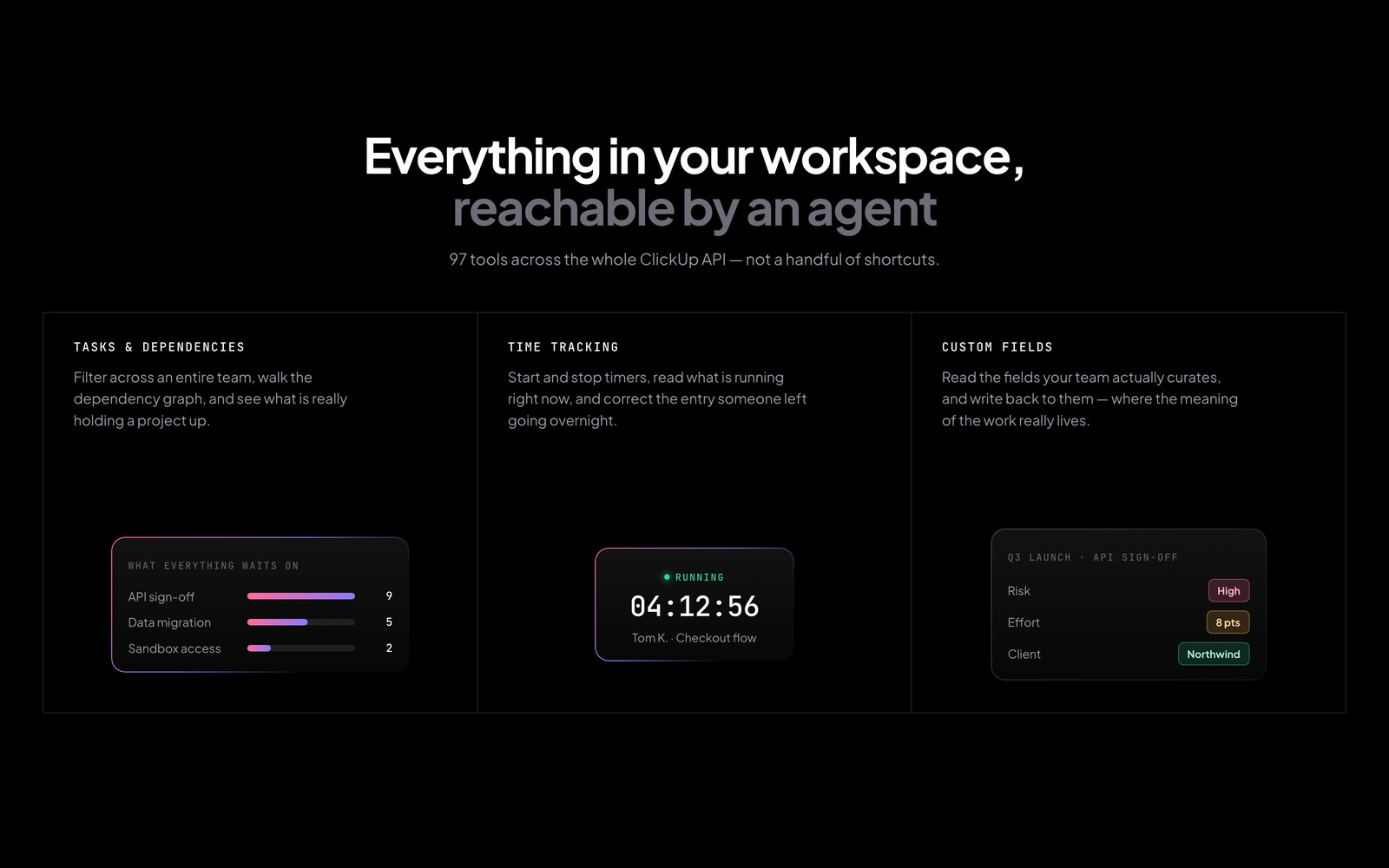
Everything in your workspace, reachable

Tasks with team-wide filtering, time-in-status, links, attachments and templates. The full space, folder and list hierarchy, including folderless lists. Views at every level. Checklists and their individual items. Comments. Custom fields — read the definitions and write the values. Dependencies. Goals. Tags. Time tracking down to starting and stopping timers and correcting historical entries. Ninety-seven tools in all. Most integrations stop at creating tasks, which is the least interesting thing an agent could possibly do with a project management system.

Everything in your workspace, reachable
Portability

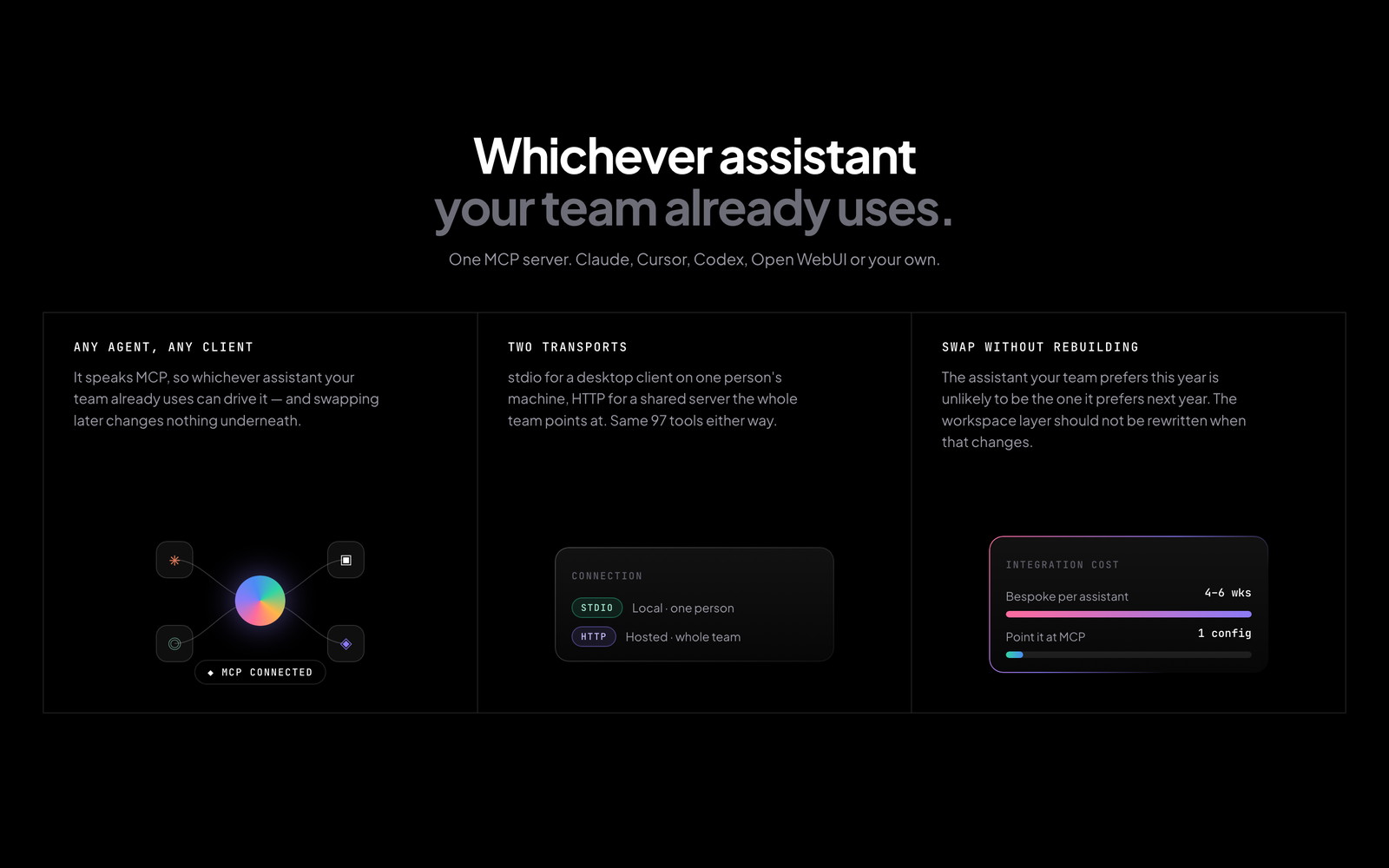
Whichever assistant your team already uses

It speaks MCP over stdio for desktop clients and HTTP for shared ones, so Claude, Cursor, Codex, Open WebUI or something built in-house can all drive it without a line of bespoke integration. That matters more than it first sounds: the assistant landscape moves quickly, and the integration layer is precisely the part you do not want to rebuild every time a team changes its mind about which model it prefers. Swap the agent, keep the workspace layer.

Whichever assistant your team already uses
In practice

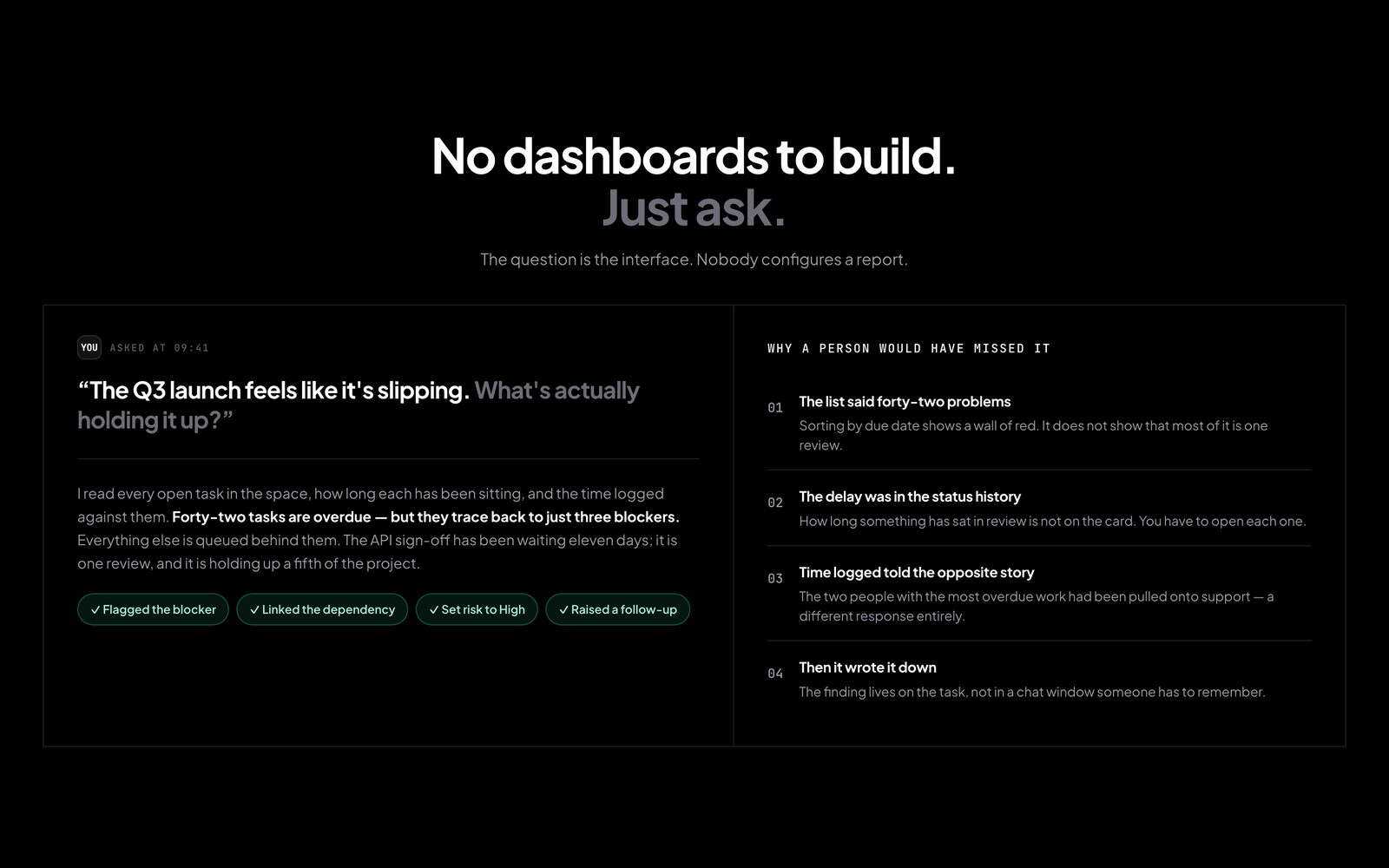
No dashboards to build. Just ask.

Nobody learns a query language or configures a report — the question is the interface. Someone asks why the launch is slipping. The agent reads every open task, how long each has been sitting, and the hours actually logged against them, then answers that forty-two overdue tasks trace back to three blockers, and one review has been waiting eleven days holding up a fifth of the project. Four things a person would have had to open four different screens to notice, answered in a sentence.

No dashboards to build. Just ask.
Range

Six questions it could never answer before

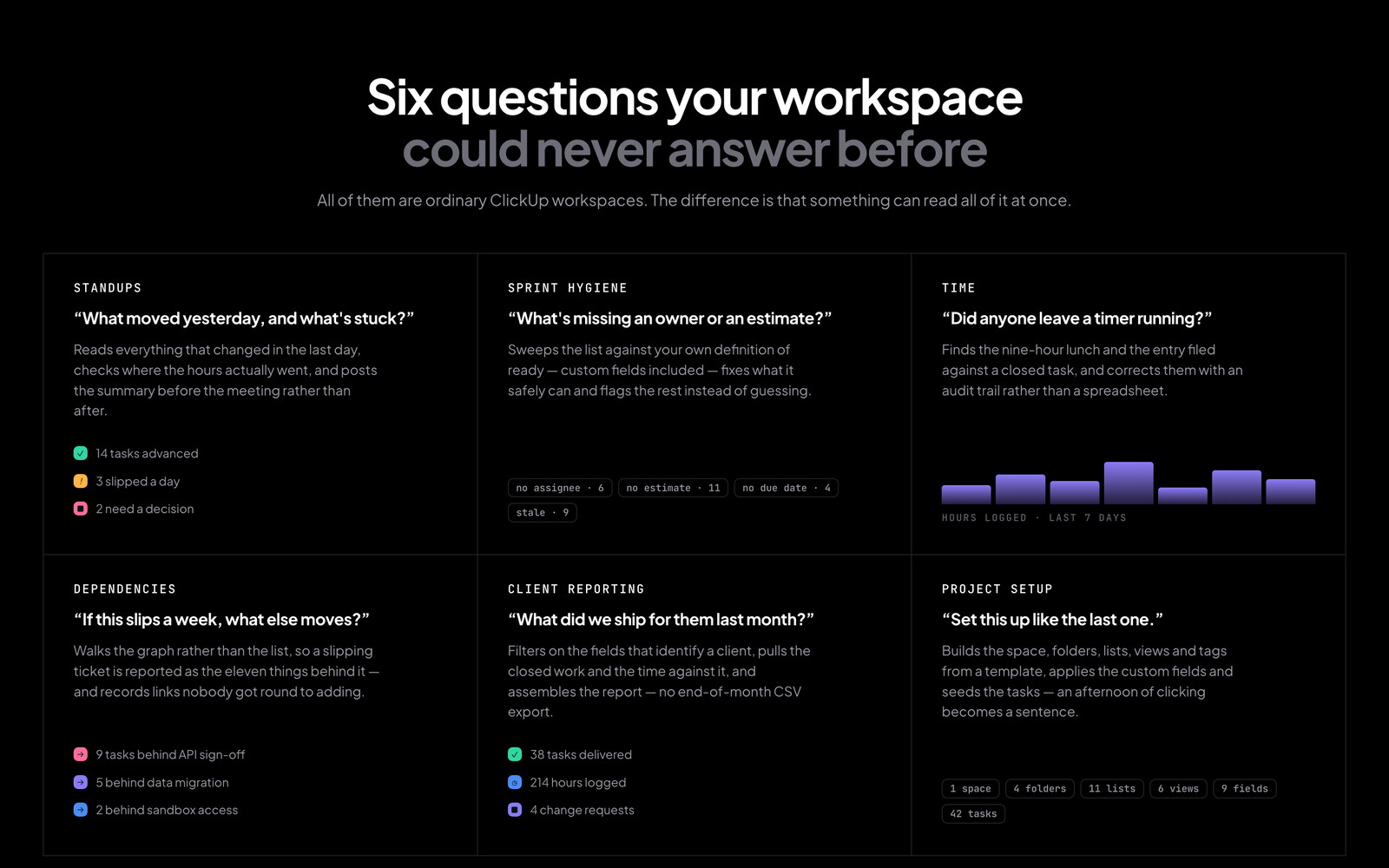
Standups assembled from what genuinely moved rather than what people remember. Sprint hygiene swept continuously against your own definition of ready, custom fields included. Timesheets reconciled — the timer left running overnight, the entry filed against a closed task. Dependency impact answered as a chain rather than a list. Client reporting without the end-of-month CSV export. A whole project structure built from a template in a sentence instead of an afternoon of clicking.

Six questions it could never answer before
Result

What the first eight weeks changed

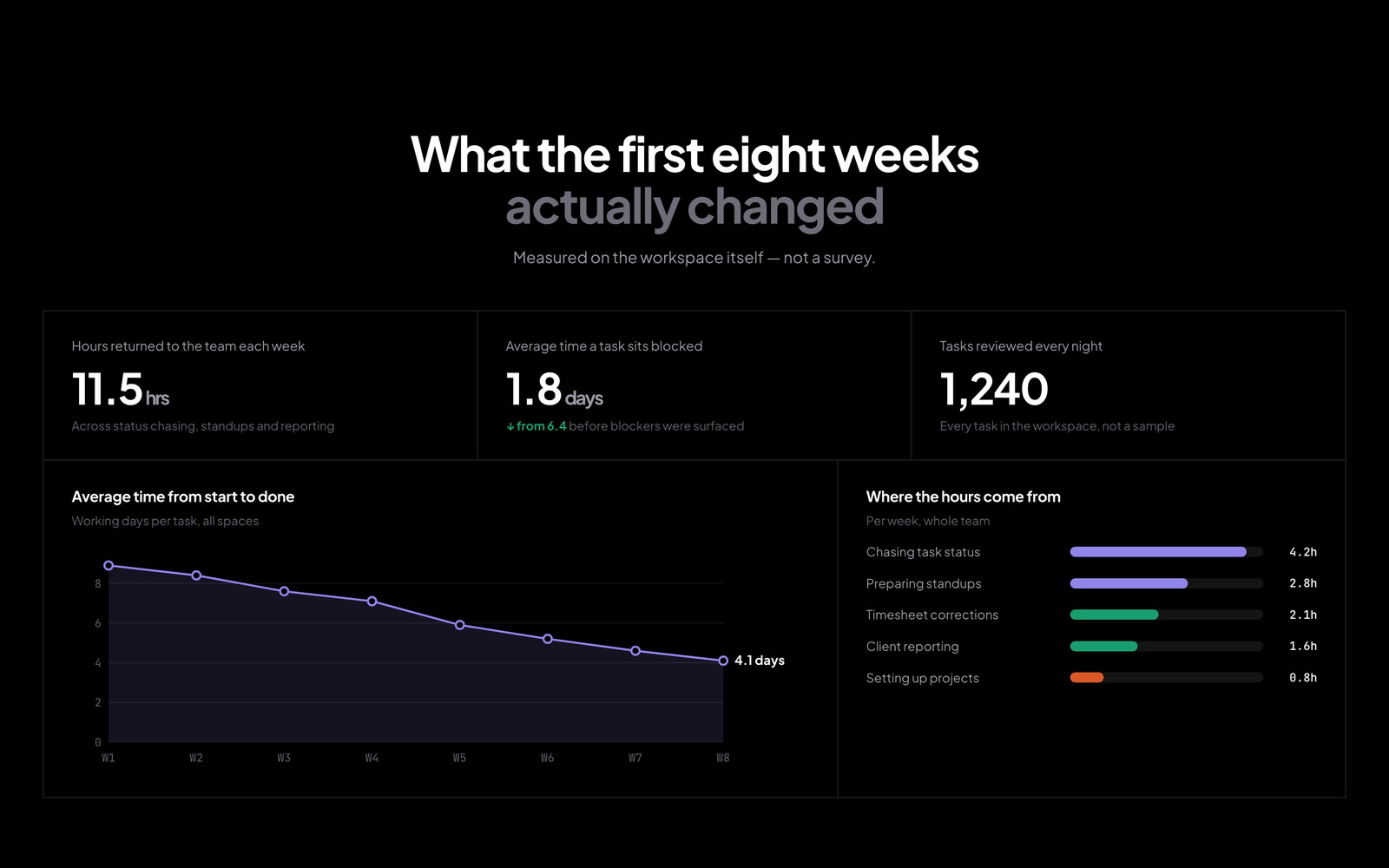
Cycle time from start to done fell from 8.9 working days to 4.1 across all spaces. The average time a task sat blocked dropped from 6.4 days to 1.8, because blockers were surfaced the night they appeared rather than at the next standup. Around eleven and a half hours a week came back to the team, most of it from chasing status and preparing updates. Every task in the workspace is reviewed nightly — not a sample, and not only the ones somebody remembered to look at.

What the first eight weeks changed
Trust

It acts as a person, not as the organisation

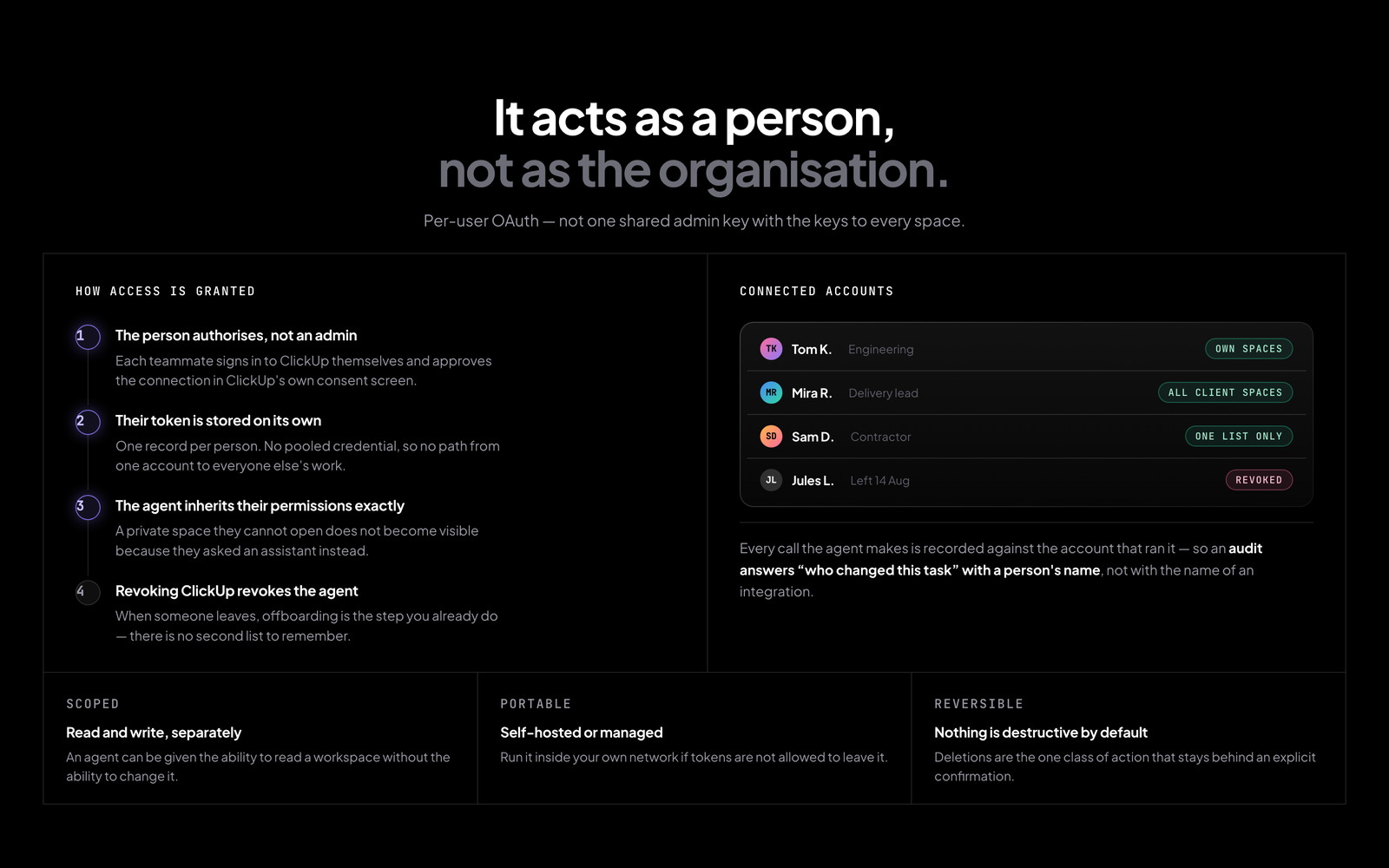
Everyone authorises their own ClickUp account and the server holds each token separately, so the agent inherits one person's permissions exactly. This is usually the question that decides whether a tool like this is adopted or refused: nobody has to accept that an assistant can read every space in the company because one admin generated a key. Actions are attributable to whoever asked for them, and when someone leaves, revoking their ClickUp access revokes their agent's too — no separate cleanup step to forget.

It acts as a person, not as the organisation

Want something like this?

We build internal tools, automation and AI systems like this one. Tell us what you are trying to ship.

Start a project