Start a project
Back to work

Email Campaign Platform

A self-hosted email campaign and deliverability platform — multi-mailbox sending, a staged warmup ramp, absolute suppression and per-campaign delivery reporting, running on mailboxes the business already owns.

Email Campaign Platform
Mailboxes
Unlimited
Warmup ramp
3 → 25 / day
Suppression
One-click
Reporting
Hourly

Most teams that send at volume end up renting a platform. It works, until the bill scales with the list, the sending domain belongs to someone else, and the data about who was contacted and when lives somewhere you cannot query.

This is the other option: a sending system that runs on the mailboxes the business already owns. It connects to them directly, and takes over the parts that are tedious to do by hand and expensive to get wrong — pacing, list hygiene, suppression, and the reporting that tells you whether any of it is working.

The brief was deliberately unglamorous. Sending an email is a solved problem. Sending forty thousand of them over six weeks without burning the reputation of the domain they come from is not, and almost all of the engineering sits in that gap. A consumer Gmail account will take roughly 500 messages a day before it starts refusing; a Workspace account around 2,000. Those are ceilings, not targets, and a new mailbox that goes anywhere near them in its first week will be filtered long before it is blocked.

So the interesting parts of this system are the ones that hold it back: the ramp that decides how much a given account is allowed to send today, the window that decides when, and the suppression list that decides who never hears from you again regardless of what any campaign says.
Sending

One queue, every mailbox

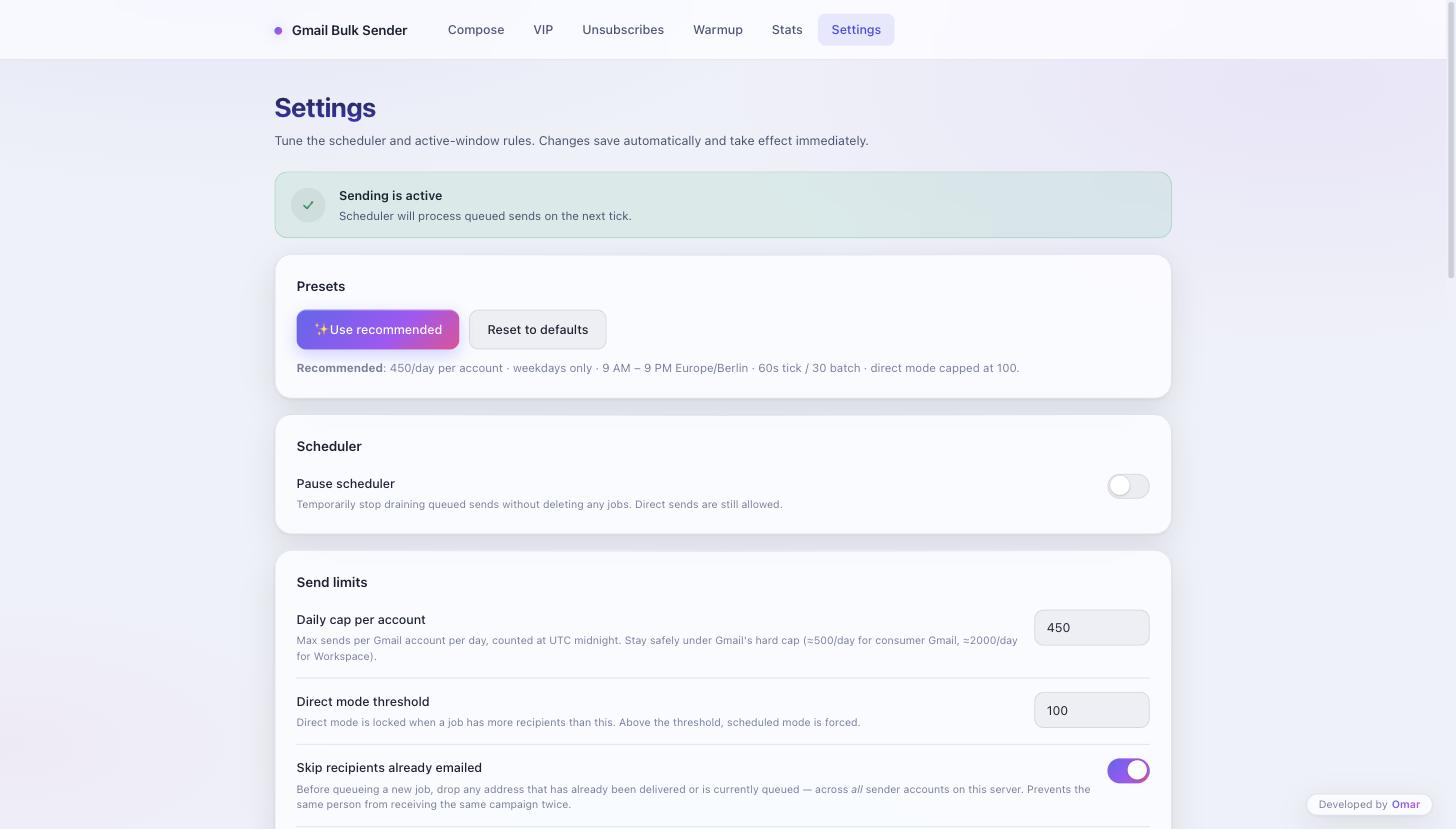
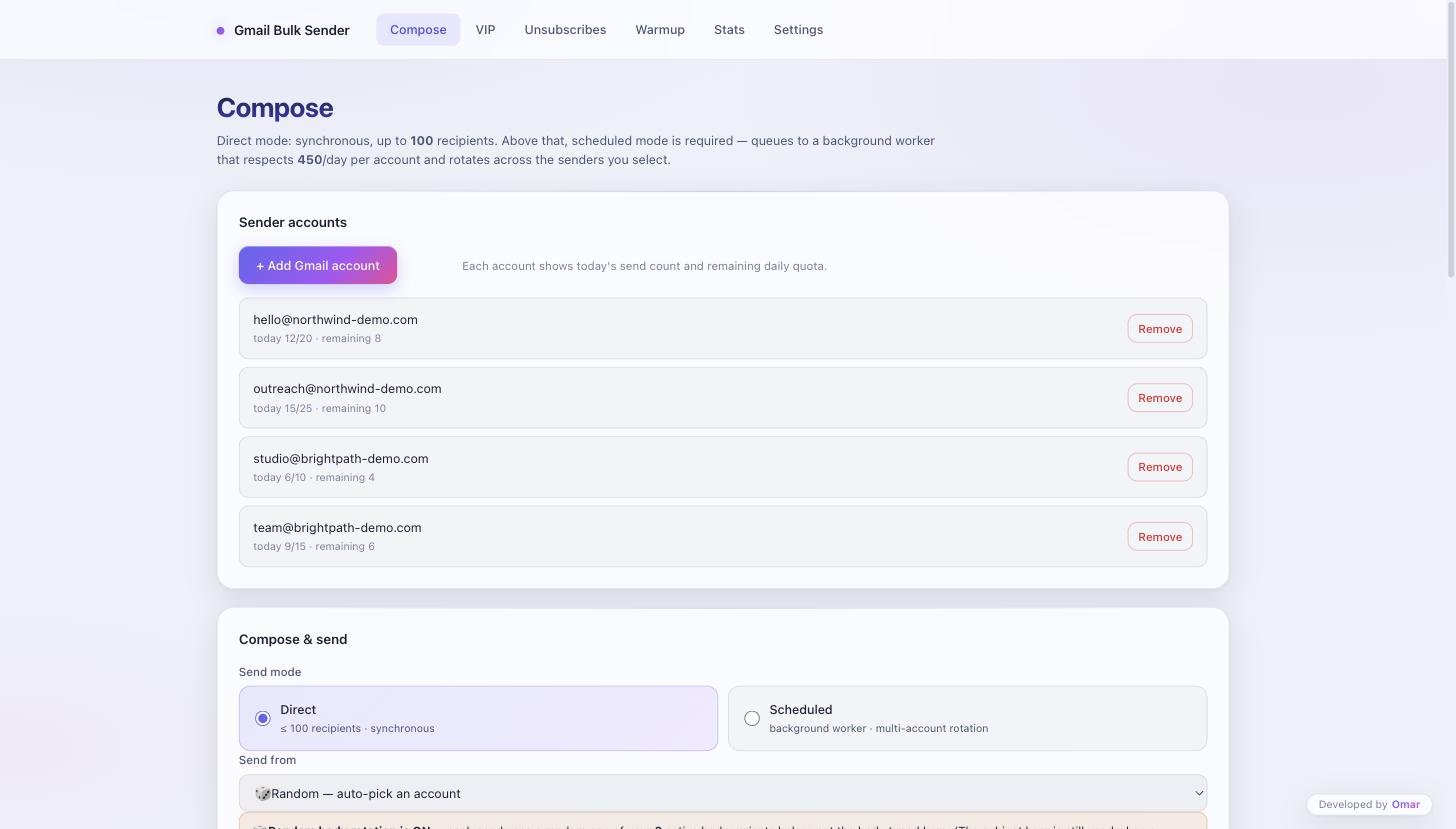
Connect as many sending accounts as the business owns. Work is distributed across them automatically rather than loading whichever one happens to be first, and each account shows what it has sent today against its own ceiling and how much headroom is left. Selection strategy is configurable — spread evenly, or always pick the account with the most remaining quota — because the right answer differs between a newsletter and a cold sequence. Direct sends are capped at 100 recipients and run synchronously; past that the job is forced through the background scheduler, so nobody accidentally fires a list of nine thousand from a form submission.

One queue, every mailbox
Reputation

New senders ramp, they don't sprint

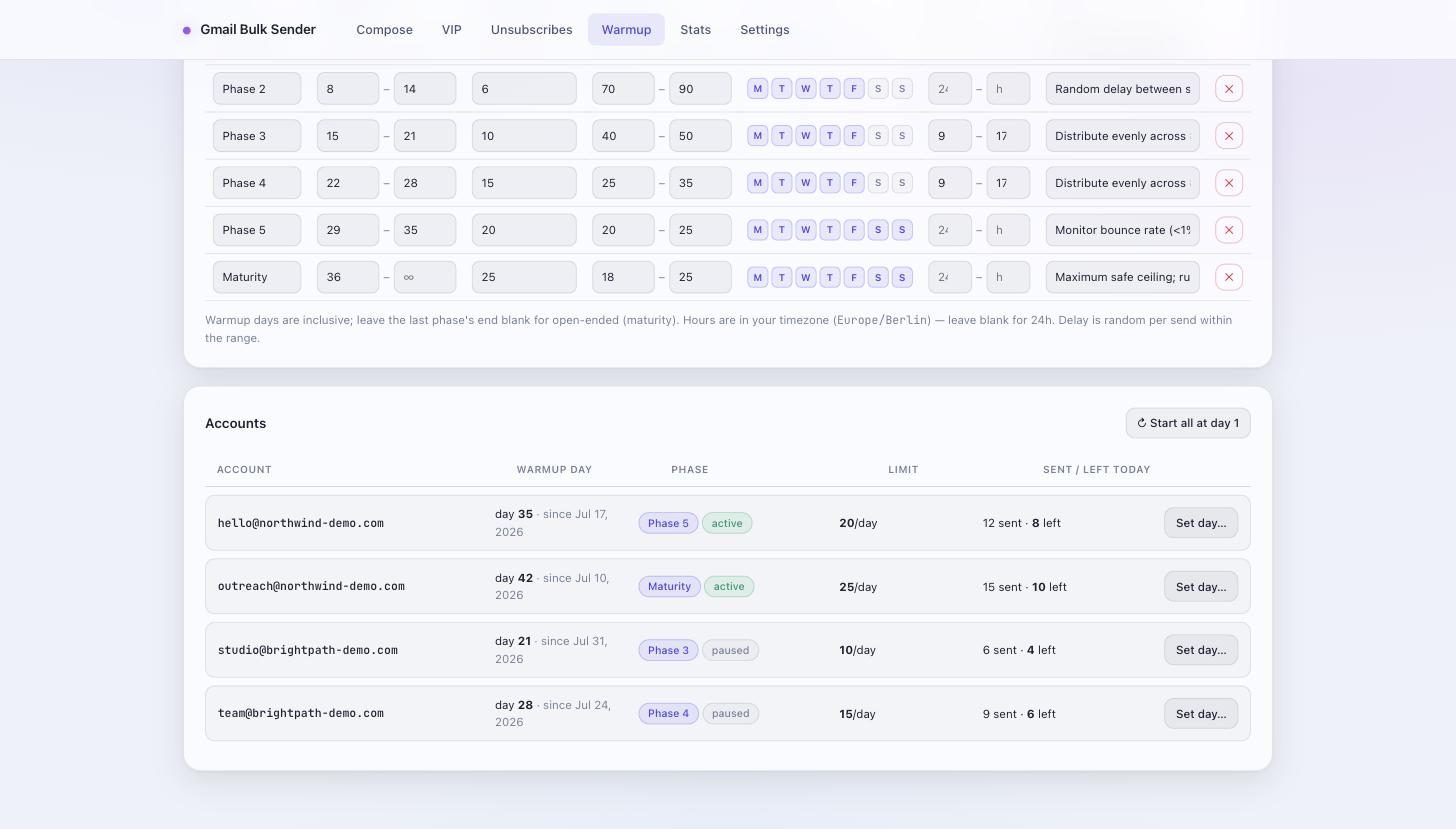
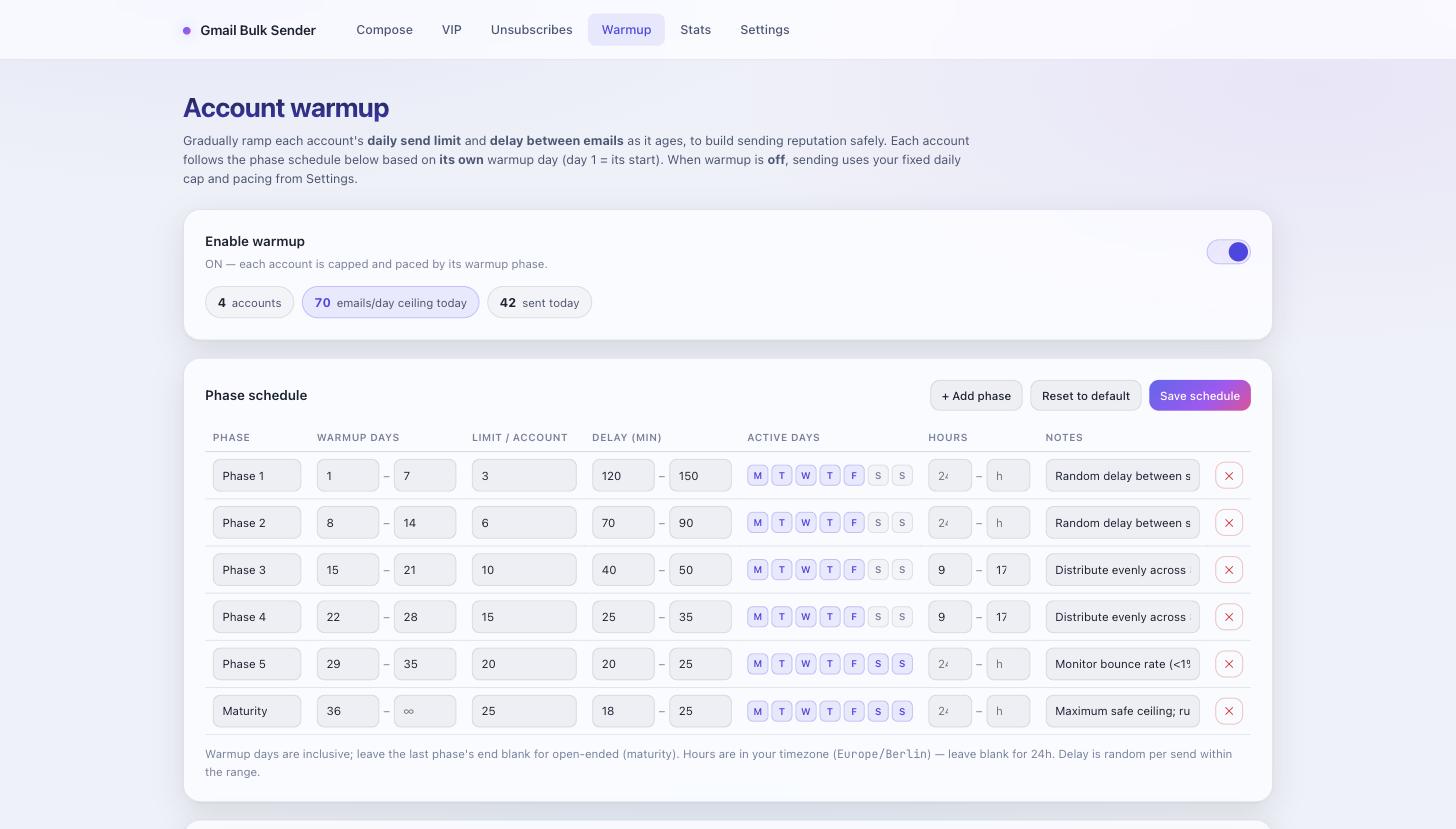
A staged schedule raises each account's daily ceiling as it ages, and tightens the gap between messages as it goes: three a day in week one with two to three minutes between sends, rising through six, ten, fifteen and twenty, and reaching a mature ceiling of twenty-five a day with sends eighteen seconds apart. Early phases skip weekends entirely, because a brand-new mailbox sending steadily through a Saturday looks exactly like what it is. Every phase is editable — the ramp is a default, not a law.

New senders ramp, they don't sprint
Pacing

Every account tracks its own age

Warmup day one is the day that account was added, not the day the feature was switched on. Accounts therefore sit at whatever phase they have individually earned, each with its own limit and its own remaining headroom, all visible in one table. Adding a sender mid-campaign does not reset anyone else and does not inherit anyone else's allowance. Sending can also be confined to chosen hours and weekdays, with volume spread smoothly across that window instead of emptying the queue the moment it opens.

Every account tracks its own age
Compliance

The suppression list is absolute

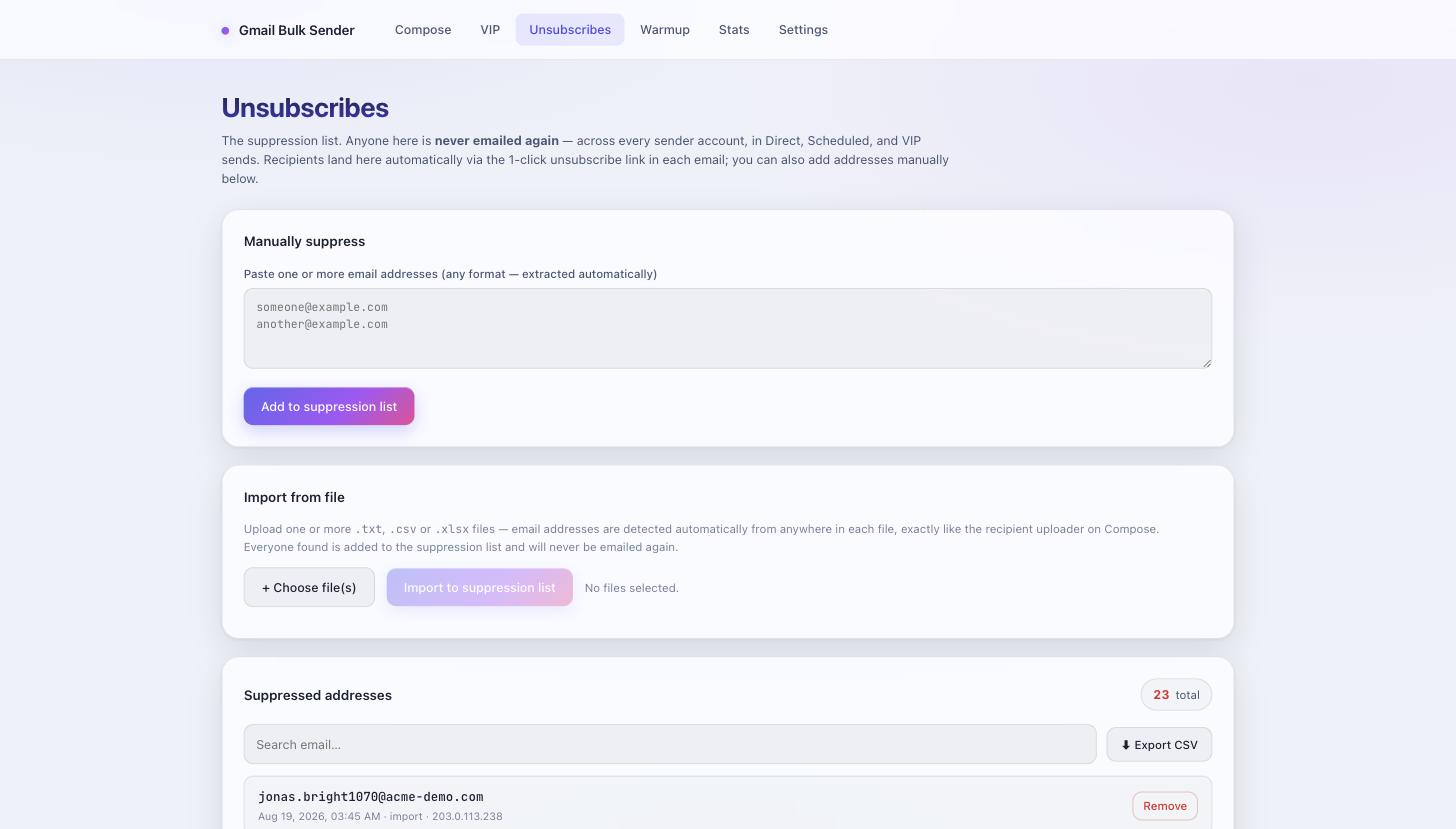
Anyone who unsubscribes is filtered out across every sending account and every mode — one-click links in the footer, manual entry, and bulk file import all feed the same list, and recurring sends respect it exactly as campaigns do. There is no per-campaign override, deliberately. Addresses that have already been delivered to are skipped as well, so the same person cannot be caught twice by two overlapping campaigns, which is the most common way a list gets burned.

The suppression list is absolute
Recurring

Priority contacts on their own clocks

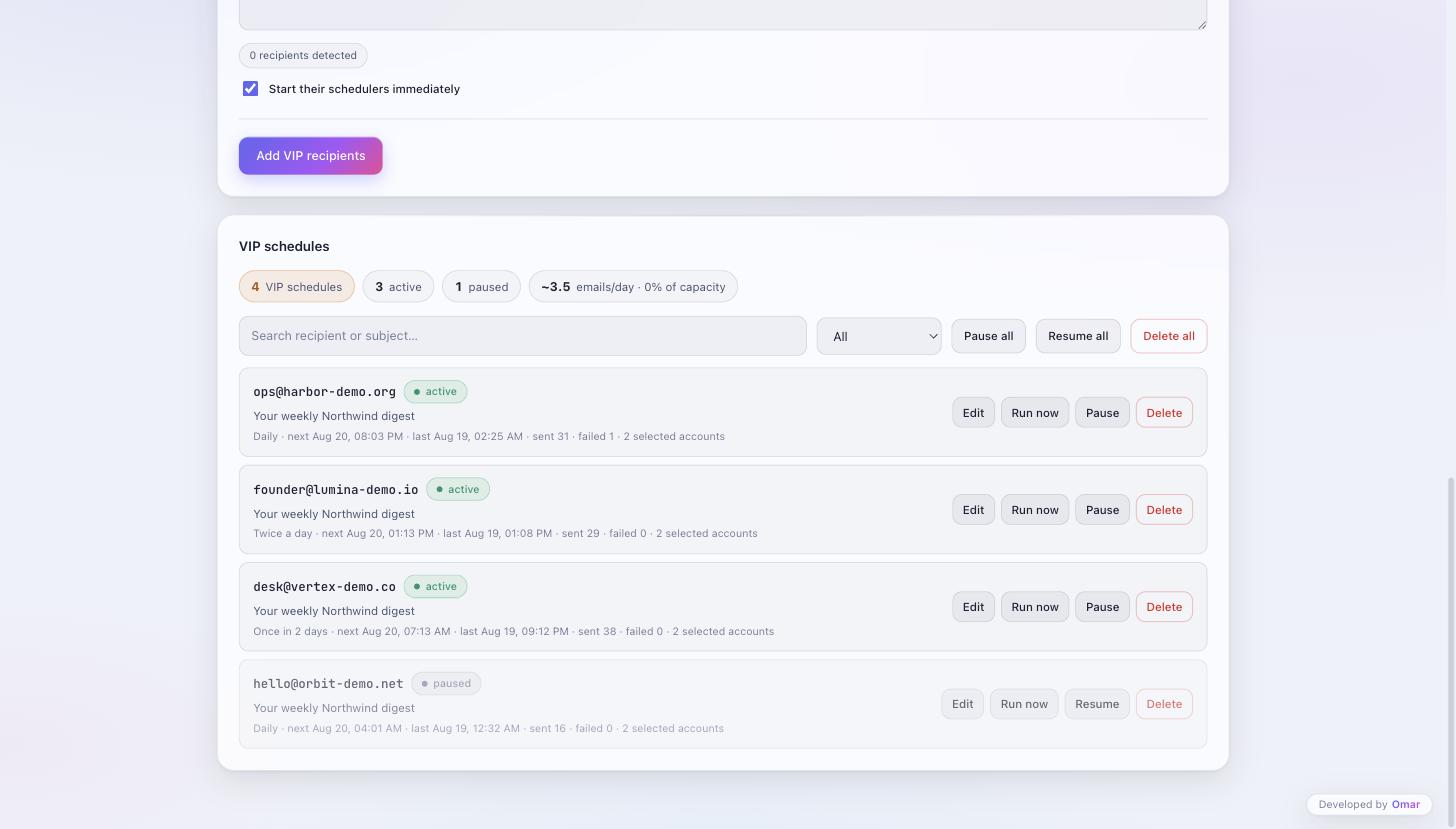
Key recipients each get an independent schedule — daily, twice daily, or every other day — with their own subject and body. Because these are drawn from the same account pool as everything else, the system shows how many messages a day the active recurring schedules generate and what share of total capacity that represents, and warns before recurring traffic starts starving normal campaigns. Each one can be paused, run immediately, edited or deleted without touching the others.

Priority contacts on their own clocks
Reporting

Delivery you can actually read

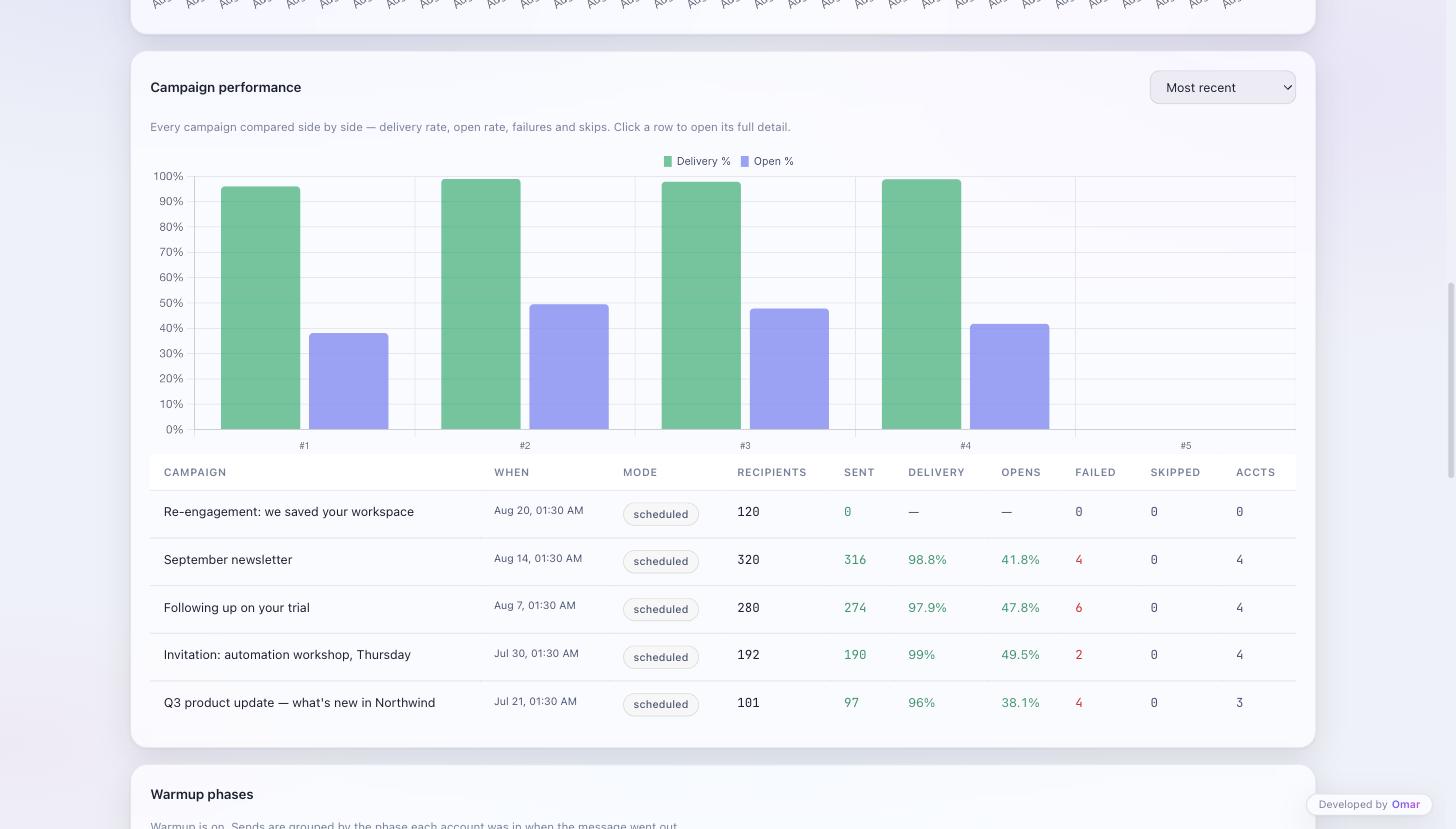
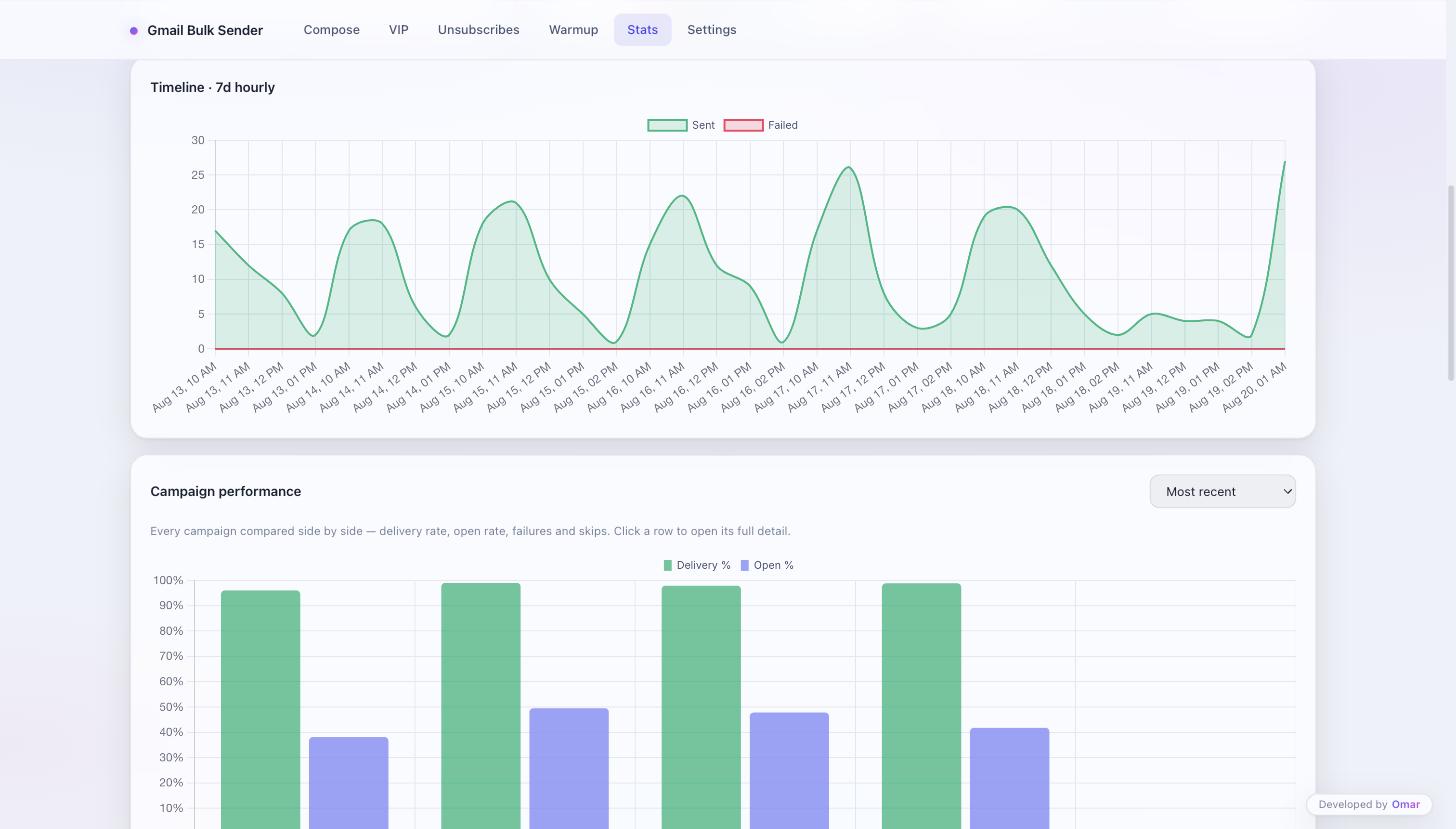
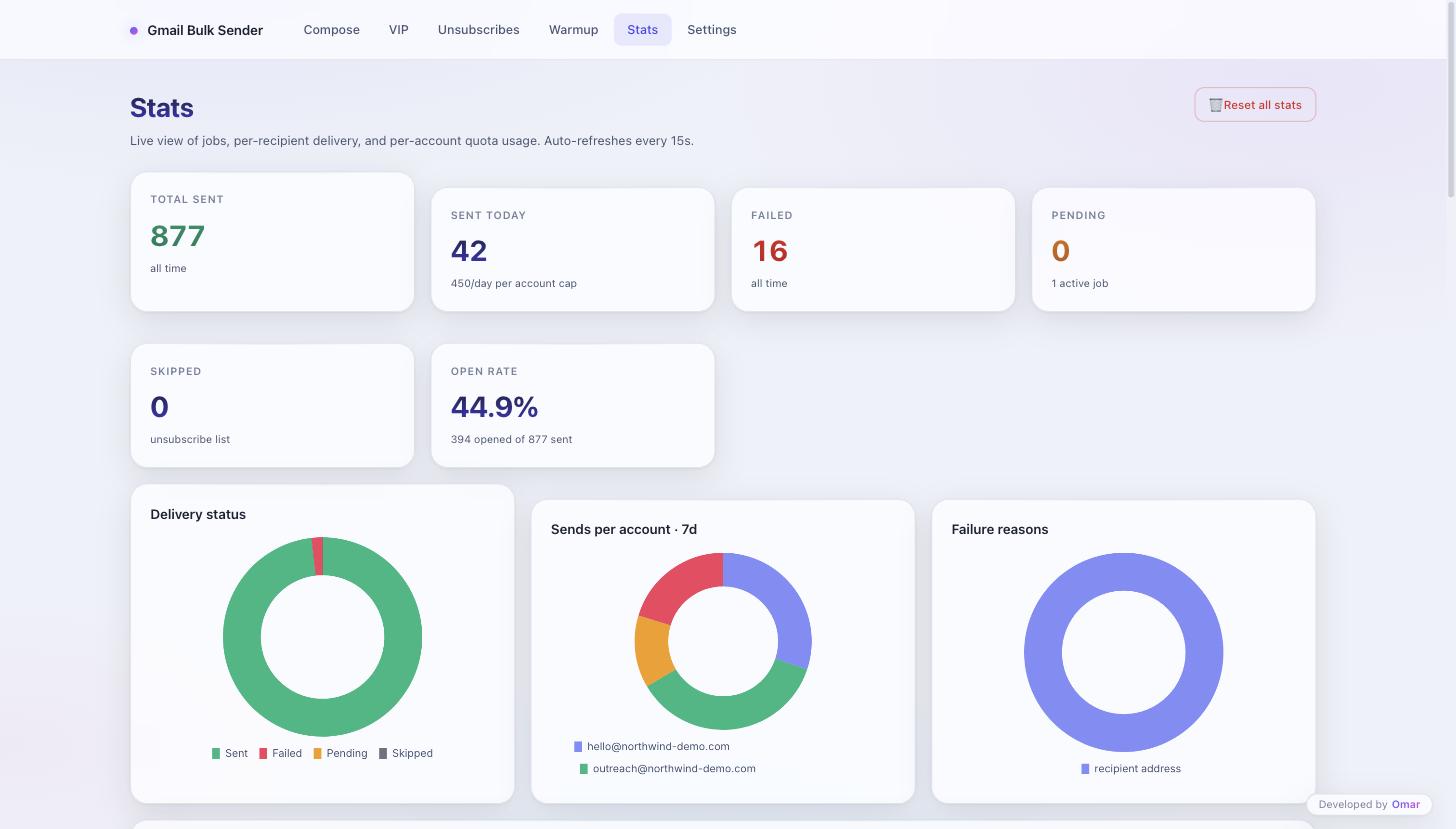
Sent, failed, skipped and open figures, broken down by campaign, by sending account and by warmup phase, with an hourly timeline over a rolling seven-day window. Campaigns are compared side by side on delivery and open rate rather than listed, so a sequence that is quietly underperforming is visible next to one that is not. Failures carry the reason from the provider rather than a generic error, which is the difference between a five-minute fix and an afternoon.

Delivery you can actually read

Want something like this?

We build internal tools, automation and AI systems like this one. Tell us what you are trying to ship.

Start a project